By Mitch Chadban — SEO & Marketing Strategist, Australia | Updated April 2026
Why You’re Stuck on Page 2: The 5 SEO Problems Keeping Good Pages Off Page 1
There’s a particular kind of frustration that comes with ranking on page 2.
You’re not invisible.
You’re not completely irrelevant.
You’re not starting from zero.
You’re close.
That’s what makes it so annoying.
Your page is getting impressions. It might even be picking up the occasional click. You can see Google has noticed it. But it is not breaking through. It is hovering. Hanging around. Living in that awkward no man’s land between “technically ranking” and “actually driving business.”
And that is where a lot of good websites get stuck.
Not because the page is terrible.
Not because Google has some personal vendetta against you.
And not because you simply need more content.

Usually, page 2 means something much more specific:
Google thinks your page is relevant enough to consider — but not convincing enough to promote.
That is the real problem.
In most cases, page 2 is not a motivation issue. It is not a “just publish more blogs” issue. It is a diagnosis issue.
The good news is that this is fixable. Pages sitting in positions 11–20 are often some of the best SEO opportunities on a site, because Google is already testing them in the conversation.
So let’s get into the real reasons good pages get stuck there.
What page 2 usually means
If you are sitting on page 2, the page is rarely a total write-off.
Google has likely crawled it, indexed it, understood the topic, and matched it to a set of searches. That matters.
What page 2 often means is this:
- your page is good enough to be considered
- but not strong enough to beat the safer, clearer, more complete options above it
- or not specific enough for the intent of that search
- or not trusted enough to be the page Google wants to put in front of more users
That is an important distinction, because it changes what you do next.
A lot of businesses treat page 2 like a generic SEO problem. They throw a few keywords in. Add 300 words. Maybe build a random backlink or two. Then wonder why nothing moves.
But page 2 usually does not need random activity.
It needs the right diagnosis.

Problem 1: You’re ranking for the wrong intent
This is probably the biggest one.
A page can be well written, nicely designed, technically fine, and still stay stuck because it is the wrong type of page for that search.
This happens all the time.
You build a service page, but the SERP mostly wants educational guides.
You publish a blog post, but the SERP is dominated by local service pages.
You write broad top-of-funnel content, but the query is clearly commercial.
You create a polished sales page, but people searching that term want a checklist, a comparison, or examples first.
That is not a quality issue. It is an intent issue.
Before you touch your page, ask:
- What kind of pages are actually ranking above me?
- Are they guides, service pages, category pages, tools, comparisons, or templates?
- What promise do they make immediately?
- What problem are they solving faster or more clearly than I am?
If your page is trying to do a different job than the pages Google is rewarding, you are not really competing yet.
You are just showing up nearby.
What to do: Open the search results for your target query and review the top 10 like a strategist, not a writer. If your page is fundamentally the wrong format, stop polishing it and rebuild it for the right intent.
Problem 2: Your first screen is too weak
A page can lose the ranking battle before the user has even started scrolling.
Many pages stuck on page 2 have a weak first screen:
- vague headline
- generic subheading
- no clear audience
- no proof
- no reason to trust the person behind it
- no obvious next step
The result is a page that technically covers the topic, but does not feel like the best answer.
If your page looks hesitant, generic, or bloated, Google has no strong reason to prefer it over a competitor that feels more confident and complete.
This is especially common on service pages. Businesses often write headlines that say almost nothing:
- Professional SEO Services
- Digital Marketing Solutions
- Helping Businesses Grow Online
These are not sharp. They are wallpaper.
A better first screen tells people:
- exactly what the page is about
- who it is for
- why this page deserves attention
- what to do next
What to do: Tighten the top of the page hard. Your headline should make a promise. Your intro should clarify the problem. Your first proof point should appear early. Your CTA should feel obvious, not forced.
Problem 3: Your page lacks proof
This is one of the most common reasons a good page stays mediocre.
It has information.
It has keywords.
It has decent structure.
But it has no weight.
No proof.
No outcomes.
No examples.
No screenshots.
No process.
No signs that a real expert or operator is behind it.
A page with generic advice is easy to write. A page with evidence is harder. That is also why evidence tends to win.
Proof can look like:
- mini case studies
- before and after outcomes
- screenshots from Search Console or analytics
- real examples
- quotes from clients
- a clear framework
- commentary based on actual work, not recycled clichés
What to do: Add substance, not just volume. Do not ask, “How can I make this page longer?” Ask, “How can I make this page harder to ignore?”

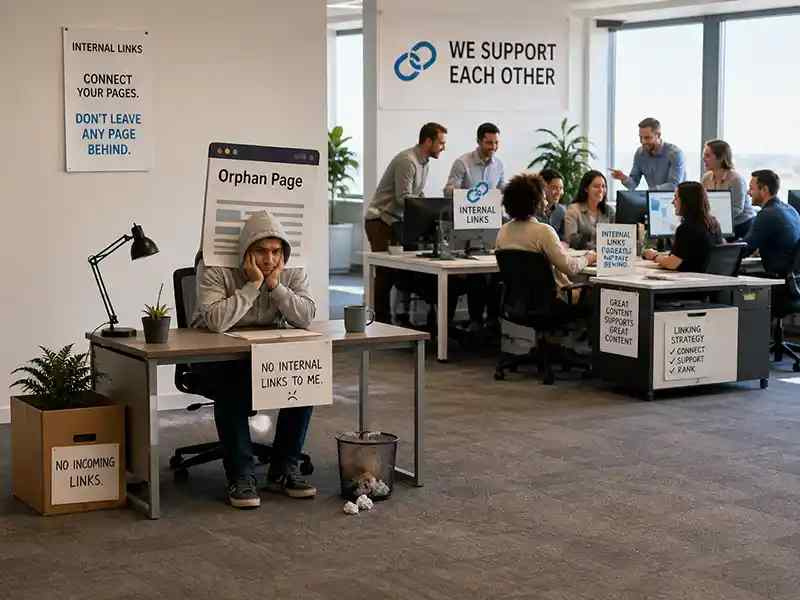
Problem 4: Your internal linking is too weak
Sometimes the page itself is not the main problem.
Sometimes the site is failing it.
A page can be decent on its own but receive almost no internal support. No strategic links. No topical cluster feeding authority into it. No descriptive anchors. No surrounding ecosystem telling Google, “This page matters.”
A huge number of businesses still build websites like this:
- blogs that link to nothing meaningful
- service pages buried in navs and forgotten
- weak anchors like “learn more” and “click here”
- no content cluster around the core commercial topic
- orphaned pages with no contextual support
If you want a page to move, the rest of the site has to behave like it wants that page to win too.
What to do: Review every relevant blog post, guide, case study, and adjacent service page on your site and ask whether they are feeding authority and users into the target page with descriptive anchors.
Problem 5: Technical or mobile friction is dragging it down
Not every page-2 problem is strategic. Some are annoyingly practical.
Maybe the page is slow.
Maybe mobile is clunky.
Maybe the layout gets messy on smaller screens.
Maybe the important copy is buried.
Maybe the page is indexable, but not easy to crawl or interpret.
If your desktop page looks clean but your mobile version trims, hides, compresses, or weakens the important information, you can absolutely lose momentum.
What to do: Check the page on your phone like a normal user, not like the person who built it. Ask whether the headline, proof, CTA, hierarchy, and overall experience still hold up on mobile.
What to check in Search Console before changing anything
Before you start rewriting, opening design files, or panicking, get your diagnostic right.
Search Console should tell you where the problem likely sits.
Look for patterns like:
- high impressions, low clicks — your title, meta description, or SERP positioning may be weak
- stable impressions, stable position, no upward movement — you may have hit a quality or intent ceiling
- strong branded traffic, weak non-branded performance — your page may lack broader topical authority
- mobile worse than desktop — experience or content-parity issues may be involved
- lots of similar queries with mediocre rankings — the page may be too broad or not decisive enough
That is useful because it stops you making the classic mistake: thinking you have a ranking problem when you really have a positioning problem.
Should you update the page or rebuild it?
Here is the rule I use.
Update the page if:
- the intent is mostly right
- the structure is decent
- the page just feels thin, generic, or underpowered
- the page needs stronger proof, sharper copy, and better links
Rebuild the page if:
- the SERP wants a different kind of page
- the angle is wrong
- the top of the page is fundamentally weak
- the content is trying to do too many jobs
- the page feels like a compromise rather than a clear answer
Sometimes you do not need another edit. You need a stronger opinion.
The page 2 diagnosis checklist
If your page is stuck on page 2, check these five things first:
- Intent: Does your page match the type of result Google is rewarding?
- First screen: Does the top of the page make a clear, confident promise?
- Proof: Have you shown real evidence, examples, or expertise?
- Internal linking: Is the rest of your site supporting this page like it matters?
- Technical and mobile: Does the page work cleanly and convincingly on mobile?
If you cannot answer yes to all five, there is your starting point.
The uncomfortable truth about page 2
A lot of page-2 pages are not far off.
That is what makes this such a valuable place to focus.
You do not need to rescue a dead asset.
You do not need to invent demand from scratch.
You do not need to convince Google the topic matters.
You usually just need to make the page more convincing than the ones sitting above it.
That means:
- sharper positioning
- better intent match
- stronger proof
- better internal support
- cleaner experience
Not more noise.
Not more fluff.
Not another blog for the sake of publishing something.
Just a better page.

Further Reading
Want to know exactly why your page is stuck on page 2?
That is the work I actually enjoy most.
Because once you stop treating SEO like a mystery and start diagnosing the real blocker, things get a lot simpler.
Sometimes the issue is intent.
Sometimes it is the first screen.
Sometimes the page needs proof.
Sometimes the site is not supporting it properly.
Sometimes the fix is technical.
Sometimes it is all of the above.
But there is always a reason.
And once you know the reason, you can fix it properly.
If you have a page hovering on page 2, get in touch. I’ll look at what is holding it back, show you where the bottleneck is, and tell you whether the fix is content, structure, internal linking, trust, or technical SEO.
That is how you stop “kind of ranking” and start turning the page into an actual lead source.
Your page is close. It just isn’t convincing Google yet.
If your page is stuck on page 2, I’ll diagnose what is holding it back and show you what needs to change to give it a real shot at page 1.